


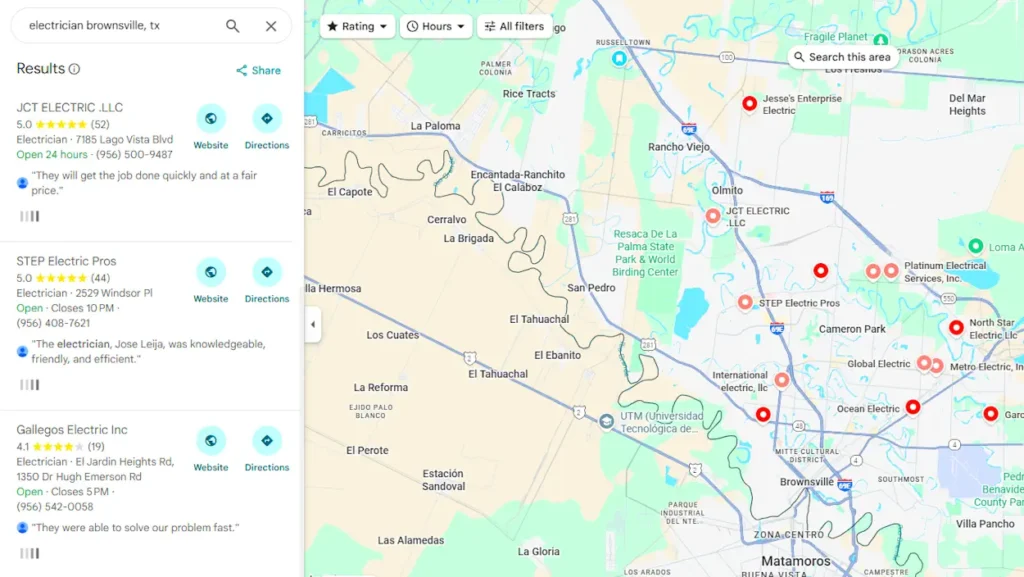
A map pack Step-by-Step Implementation Guide Business Owners
You already know what the Map Pack is and why those three listings at the top of Google get the lion’s share of local search clicks. The question is: what do you actually DO to get your McAllen restaurant, Brownsville law firm, or Harlingen HVAC company into one of those three spots? How do you improve your Google Map pack rankings?
This guide answers that question with a specific, ordered action plan — no general advice, no vague suggestions. Every step maps directly to how Google decides which businesses earn Map Pack placement. This guide is an additional explanation to the Google Business Profile Help.
The Three Signals Google Uses to Pick Map Pack Winners
Before touching anything on your profile, understand this: Google uses three core signals to determine Map Pack rankings. Every action you’ll take in this guide feeds directly into one of these three. understanding you using these methods is not cheating. Google encourages business owners to improve their website rankings.
| Signal | What It Means | How You Influence It |
| Relevance | Does your business match what the searcher is looking for? | Categories, keywords in GBP, services listed, website content |
| Distance | How close is your business to the searcher (or searched location)? | Service area settings, address verification, proximity to city centers |
| Prominence | How well-known and trusted is your business online? | Reviews, citations, backlinks, website authority, GBP activity |
| RGV Reality Check The Rio Grande Valley spans roughly 100 miles across multiple cities. “Distance” gets complicated fast when a Pharr business wants to rank in McAllen searches. Understanding how Google calculates proximity across the RGV’s multi-city layout is why some actions in this guide carry more weight for Valley businesses than they would elsewhere. |
Step-by-Step: The Map Pack Entry Plan
These steps are ordered by impact and sequence. Do them in order — later steps build on earlier ones.
Step 1: Claim and Verify Your Google Business Profile
You cannot rank in the Map Pack without a verified Google Business Profile. If you haven’t claimed yours yet, that’s the starting point. Go to business.google.com, search for your business, and claim it if it already exists — or create a new listing.
Verification usually happens one of three ways: postcard by mail (most common), phone call, or video verification. Google has expanded video verification in the RGV market, so have your storefront, signage, and ID ready.
| Common mistake: Businesses in Edinburg or Mission sometimes find a duplicate listing already exists from an old address or previous owner. Do NOT create a second listing. Claim and merge the existing one — duplicate listings actively hurt your Map Pack rankings. |
Step 2: Nail Your Primary Business Category
Your primary category is the single most important field in your entire GBP. Google uses it to decide which searches your listing is relevant for.
The rule: pick the category that best describes what your business IS — not what it does. A dental office in Weslaco is a “Dentist” not a “Dental Clinic” or “Teeth Whitening Service.” Those can be secondary categories. Your primary category should be the most specific, highest-volume category that matches your core offering.
| Business Type | Recommended Primary Category Approach |
| Restaurant | Use the cuisine type (“Mexican Restaurant”) not just “Restaurant” |
| Law Firm | Use the practice area (“Personal Injury Attorney”) not “Law Firm” |
| HVAC | “HVAC Contractor” not “Air Conditioning Repair Service” as primary |
| Retail | The most specific product category (“Shoe Store” not “Retail Store”) |
| Medical | The specific specialty (“Family Practice Physician” not “Doctor”) |
Add secondary categories AFTER you’ve locked in your primary. Most RGV businesses can add 3-5 secondary categories. Only add categories that genuinely describe services you offer — irrelevant categories can confuse Google and dilute your relevance signal.
For a more in depth article read Choosing the right GBP category
Step 3: Complete Every Section of Your Profile — Completely
Google’s own documentation confirms that complete profiles rank better. This isn’t a suggestion. Every blank field in your GBP is a missed relevance signal.
Work through every section in this order:
- Business name: Use your exact legal business name. No keyword stuffing (“Joe’s Plumbing — McAllen TX Plumber”). This violates Google’s guidelines and can get your listing suspended.
- Address or service area: If you serve customers at your location, add your address. If you go to customers (like a mobile detail service in Alamo or a San Juan catering company), hide your address and define your service area instead.
- Phone number: Use a local RGV number, not an 800 number. Google associates local area codes (956) with geographic relevance.
- Website: Link to your actual website homepage. If you don’t have a website, this is now a priority — GBP listings without websites consistently underperform.
- Hours: Set accurate hours for every day. Include holiday hours when applicable. Listings with outdated or missing hours lose trust signals.
- Business description: You get 750 characters. Use them. Write a natural description of what you do, who you serve, and your location in the RGV. Work in your primary keyword once — no repetition.
- Services or products: Add every service you offer with individual descriptions. A Donna auto repair shop should list “oil change,” “brake repair,” “AC recharge” — each as a separate service with a brief description.
Step 4: Build Your Review Foundation
Reviews feed the Prominence signal. A brand-new listing with zero reviews will not outrank an established competitor with 50 reviews — even if your profile is perfect.
Your target in the first 30 days: 5-10 genuine reviews from real customers.
The fastest, cleanest way to do this: create your Google review link (find it in your GBP dashboard under “Get more reviews”) and text or email it directly to your 10 most recent happy customers. A simple message works:
| Sample Text/Email: “Hi [Name] — thanks for coming in. If you have 60 seconds, a Google review would really help us out. Here’s the link: [link]. We appreciate you!” |
Do not offer discounts, gifts, or incentives for reviews — this violates Google’s policies and can result in review removal or listing suspension. Just ask directly. RGV customers respond well to a personal, direct ask.
Step 5: Add Photos — The Right Way
Listings with photos receive significantly more clicks and direction requests than those without. More importantly, photo activity signals to Google that your business is active and engaged.
What to upload in your first week:
- Cover photo: Your storefront or primary location — exactly as a customer would see it arriving
- Logo: Clean, professional, matches your actual branding
- Interior photos: 3-5 images of your space (restaurant dining room, office waiting area, shop floor)
- Team photos: Real staff members — this builds trust, especially for service businesses in Mercedes or Rio Grande City where personal relationships drive referrals
- Product/service photos: What you actually sell or do
File naming matters. Before uploading, rename your files to something descriptive: “mcallen-mexican-restaurant-interior.jpg” beats “IMG_4829.jpg” every time. Google reads file names.
Step 6: Create Your First Batch of GBP Posts
GBP posts show Google your listing is actively managed. An inactive listing — no posts, no updates — signals a potentially closed or neglected business.
Post once per week minimum. Your first four posts should be:
- Welcome/About post: Introduce your business, what you do, and who you serve in the RGV.
- Service spotlight: Pick your most popular service and write 2-3 sentences about it with a photo.
- Offer post (if applicable): A current promotion or special. These show up prominently in your listing.
- Local connection post: Something that connects you to the community — a local event, a team photo, a shoutout to your Harlingen or Brownsville neighborhood.
Step 7: Get Your First 10 Citations
Citations are mentions of your business name, address, and phone number (NAP) on other websites. They build the Prominence signal and tell Google your business is real and established.
Start with these — all free:
| Directory | Why It Matters for RGV Businesses |
| Yelp | High DA, frequently shown in local search results |
| Apple Maps | Critical for iPhone users — heavy usage across South Texas |
| Bing Places | Often overlooked; directly feeds Microsoft search results |
| Facebook Business Page | Major trust signal; widely used in RGV communities |
| Yellow Pages (YP.com) | Legacy authority that still carries weight with Google |
| Better Business Bureau | Especially important for professional services in the Valley |
| Foursquare | Powers dozens of downstream directories automatically |
| Chamber of Commerce | McAllen, Edinburg, Harlingen, Brownsville all have active chambers — local authority links |
| NextDoor | High neighborhood relevance; strong for service area businesses |
Critical rule: your business name, address, and phone number must be identical across every directory. “Joe’s AC Repair” and “Joe’s A/C Repair” are inconsistent. “956-555-0100” and “(956) 555-0100” are inconsistent. Pick one format and use it everywhere.
Step 8: Optimize Your Website for Local Signals
Your website reinforces everything in your GBP. Google cross-references the two. A GBP that points to a website with no matching location signals is a weak combination.
Four website changes that directly support Map Pack rankings:
- Add your NAP to your website footer: Same business name, address, and phone you used in your GBP — on every page.
- Create a location page: A dedicated page titled something like “Air Conditioning Repair in McAllen, TX” with real content about serving that area — not just a city name dropped into a template.
- Embed a Google Map: On your contact page. This creates a direct Google Maps association between your website and your GBP listing.
- Add LocalBusiness schema markup: This is structured data code that tells Google explicitly: here is a local business, here is its name, address, phone, hours. Many RGV business websites are missing this entirely.
There are many more ranking factors that also affect your local search position. Each gets into a finer detail of the online presence.
What Moves Fastest vs. What Takes Time
Not all actions produce results on the same timeline. Here’s an honest breakdown of what to expect:
| Action | Typical Impact Timeline |
| Verify GBP + complete profile | Immediate eligibility — can appear in Map Pack within 1-2 weeks |
| Upload photos | Activity signal registers within days |
| First 5+ reviews | Noticeable ranking lift in 2-4 weeks |
| GBP posts (weekly) | Cumulative effect over 60-90 days |
| Core citations (10+) | Prominence signal builds over 30-60 days |
| Website local optimization | 30-90 days depending on site authority |
| Schema markup | Can see impact in 2-4 weeks after indexing |
| The honest truth about Map Pack timelines: A brand-new listing in a competitive market like McAllen or Brownsville will not crack the Map Pack overnight. In smaller RGV markets like Donna, Alamo, or San Juan, you can see results in 2-4 weeks with a complete profile and 5+ reviews. In McAllen or Edinburg, expect 60-90 days of consistent effort before stable Map Pack placement. |
Your 30-Day Map Pack Entry Checklist
Use this as your implementation plan. Each item maps to a step above.
WEEK 1 — Foundation
- Claim and verify your Google Business Profile
- Set your primary business category (most specific match)
- Add 3-5 secondary categories
- Complete business name, address/service area, phone, website, hours
- Write your 750-character business description
- Upload 10+ photos (cover, logo, interior, team, services)
WEEK 2 — Content & Reviews
- Add all services with individual descriptions
- Publish your first GBP post (Welcome/About)
- Send review requests to your 10 most recent happy customers
- Create a Yelp listing with matching NAP
- Claim Apple Maps and Bing Places listings
WEEK 3 — Citations & Website
- Add Facebook Business Page with matching NAP
- Create YP.com and BBB listings
- Add Foursquare and Nextdoor listings
- Join your local RGV Chamber of Commerce directory
- Add NAP to website footer (all pages)
- Embed Google Map on contact page
WEEK 4 — Optimization & Momentum
- Publish your second, third, and fourth GBP posts
- Create or optimize a location page on your website
- Add LocalBusiness schema markup to your website
- Verify all 10 citations have consistent NAP formatting
- Respond to every review received (positive and negative)
- Send second round of review requests
Download the 30-Day Map Pack Entry Checklist PDF here.
The Most Common Reasons RGV Businesses Don’t show in map pack rankings
After working with businesses across McAllen, Edinburg, Harlingen, and Brownsville, these are the patterns that show up most often when a business can’t crack the Map Pack:
- Incomplete profile: Profiles missing services, descriptions, or photos are chronically underperforming. Google wants complete information.
- Wrong primary category: A Weslaco business listed under a broad category (“Home Services”) instead of a specific one (“Roofing Contractor”) will lose to competitors with tighter category matches.
- Zero reviews: In most RGV markets, you need at minimum 5-10 reviews to compete. In McAllen or Brownsville for competitive categories, expect 25+ before you see consistent Map Pack placement.
- NAP inconsistency: If your address appears three different ways across your citations, Google’s confidence in your business location drops. This is common after a move or name change.
- No website (or a weak one): GBP and your website work together. A listing that points to a missing, broken, or thin website carries less authority than one pointing to a well-built local site.
- Distance disadvantage: If your business is physically located in Pharr but you want to rank for “McAllen” searches, distance works against you. You can’t fake proximity — but you can strengthen Relevance and Prominence signals enough to compensate in some cases.
If you have any questions I would like to know more about how you can improve your Google Business Profile ranking in Google Maps, feel free to contact us here or continue to read the Local SEO guide for small business for additional tips.
Map pack rankings FAQ
How long does it take to get into the Map Pack from scratch?
In smaller RGV markets (Alamo, San Juan, Donna, Mercedes), a well-optimized listing with 5+ reviews can appear in the Map Pack within 2-4 weeks. In McAllen, Edinburg, Brownsville, or Harlingen — competitive markets with more established businesses — plan for 60-90 days of consistent effort: completing your profile, building reviews, creating citations, and keeping your GBP active with weekly posts.
My competitor has fewer reviews than me but ranks higher. Why?
Reviews are one signal among many. Your competitor might have a stronger primary category match (Relevance), be physically closer to the center of the search area (Distance), have more citations or a stronger website (Prominence), or be more active with GBP posts and photos. Run through the checklist above — the gap is almost always in one of those areas.
Do I need a physical storefront to rank in the Map Pack?
No. Service-area businesses — plumbers, electricians, mobile detailing, catering — rank in the Map Pack regularly. The key differences: you hide your address in your GBP settings, you define your service area clearly (select the specific RGV cities you serve), and you need stronger Prominence signals to compensate for the distance variable. Many Edinburg and Mission service businesses rank consistently across the Valley using this setup.