


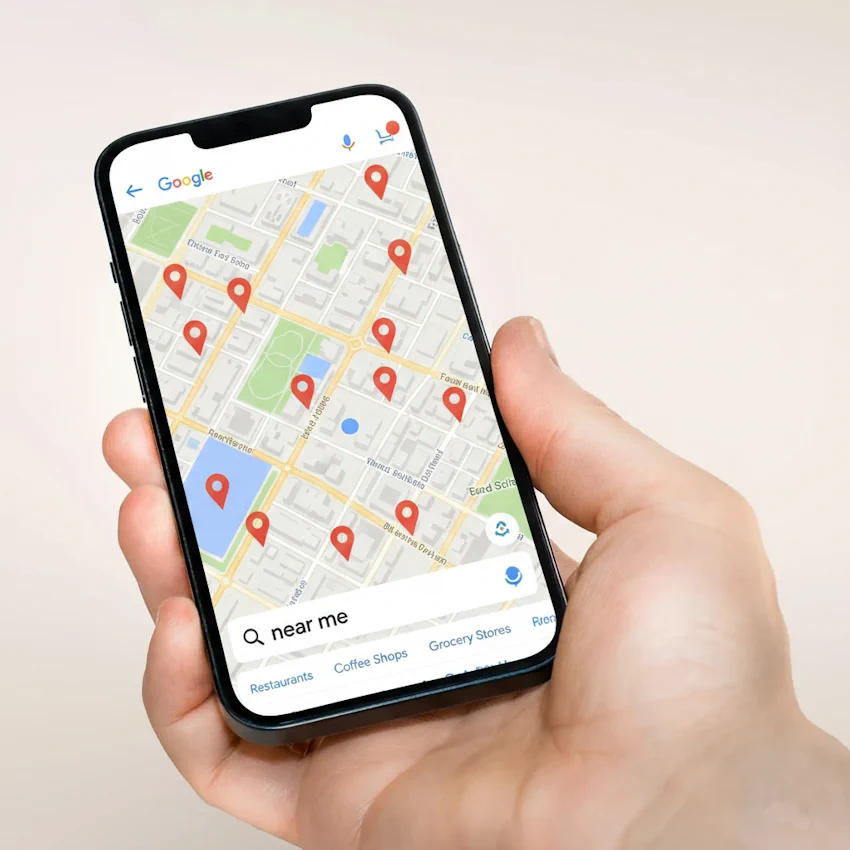
You’ve optimized your Google Business Profile, built citations, and earned reviews—but are you showing up when someone pulls out their phone and searches “pizza near me” or asks Siri “where’s the closest plumber?” These proximity-triggered searches work differently than traditional local queries, and understanding the mechanics gives you a tactical advantage in capturing high-intent customers actively looking for businesses right now.
How Google Processes “Near Me” Differently
When someone searches “plumbers in McAllen,” Google uses the city name as the primary location signal. When they search “plumbers near me,” Google activates an entirely different set of ranking factors weighted heavily toward real-time proximity and mobile signals.
Google’s “near me” algorithm prioritizes three distinct data points:
Your device’s GPS coordinates create a precise radius search. Google draws a circle around your exact location—typically 5-15 miles depending on business category—and prioritizes businesses within that zone. A coffee shop 0.3 miles away will almost always outrank a similar coffee shop 8 miles away, even if the distant one has better reviews.
Your IP address provides backup location data. When GPS isn’t available or accurate (inside buildings, poor signal), Google uses your internet connection’s IP address to estimate location. This matters for desktop “near me” searches where users expect results based on their work or home location.
Your search and location history refine results. Google knows where you typically search from, where you live and work, and which types of businesses you frequent. This historical pattern influences which businesses appear when location signals are ambiguous.
The critical difference: City-name searches give you a defined geographic target to optimize for. “Near me” searches require you to optimize for whoever happens to be physically close to your location at search time, regardless of where they live.
Proximity Ranking: Why Distance Dominates
In traditional local searches, relevance and prominence (reviews, links, authority) can overcome distance disadvantages. A highly-rated restaurant 12 miles away might outrank a mediocre one 3 miles away when someone searches “best Italian restaurant McAllen.”
“Near me” searches flip this priority structure.
Proximity becomes the primary filter. Google assumes immediate need and prioritizes businesses within the closest viable radius. You’re competing primarily against businesses in your immediate geographic area, not your entire city.
For Rio Grande Valley businesses, this creates interesting dynamics. A restaurant on 10th Street in McAllen competes with other 10th Street businesses for “restaurants near me,” not with restaurants in south McAllen or Edinburg. Your competition changes based on where the searcher stands.
Business category determines proximity weight. Google applies different distance expectations for different business types:
Restaurants, coffee shops, and gas stations: 1-3 mile radius priority Retail stores and gyms: 3-7 mile radius Professional services (doctors, lawyers): 5-15 mile radius
Specialized services (auto repair, contractors): 10-20 mile radius
A searcher looking for “breakfast near me” won’t scroll past three 2-mile options to find your restaurant 8 miles away, regardless of your ratings. But someone searching “immigration attorney near me” will consider options across a broader area because they expect to travel for specialized services.
The Mobile Factor: Why Device Type Changes Results
“Near me” searches are overwhelmingly mobile—over 80% happen on smartphones. This isn’t just about screen size; mobile devices provide richer location signals that fundamentally change search results.
GPS precision creates micro-targeting opportunities. Mobile GPS pinpoints location within 15-30 feet. When someone searches while walking down 10th Street in McAllen, Google knows which side of the street they’re on and can prioritize businesses on that side.
Your Google Business Profile location accuracy directly impacts this. If your pin sits 200 feet from your actual entrance, you lose micro-proximity advantages to competitors with precise pins.
Mobile intent signals urgency. Google’s algorithm recognizes that mobile “near me” searches indicate immediate purchase intent. Someone searching “hardware store near me” on their phone likely needs something within the hour, not researching for next week.
This urgency assumption increases the value of real-time signals—whether you’re open right now, current wait times, live business activity. Static signals like review count still matter, but immediate availability matters more.
Desktop “near me” searches follow different rules. When someone searches “dentist near me” from a desktop computer, Google typically interprets “near me” as “near my home or office location” based on IP address and search history, not precise GPS.
Desktop “near me” results often mirror city-name searches, pulling from a broader area with less emphasis on immediate proximity. Your optimization strategy shouldn’t ignore desktop, but understand that mobile is where “near me” proximity algorithms activate most aggressively.
Voice Search: The “Near Me” Multiplier
Voice searches are three times more likely to include local intent than typed searches, and “near me” phrasing dominates voice queries. When someone asks Siri or Google Assistant for recommendations, they rarely specify city names—they default to proximity language.
Voice queries trigger the most aggressive proximity filtering. Google assumes that voice + “near me” equals urgent local need. Results typically come from a tighter radius than typed “near me” searches for the same category.
Voice searchers also expect immediate, actionable results. Google prioritizes businesses that are currently open, have clear directions, and show phone numbers prominently. A voice search result needs to be tap-to-call or tap-to-navigate ready.
Conversational phrasing changes keyword targeting. Voice searchers ask questions: “Where’s the best taco place near me?” or “Who does AC repair near me?” Your content and GBP categories need to match these natural language patterns, not just keyword variations.
Including question-based content in your Google Business Profile description and website helps. “We’re the AC repair company McAllen residents call when their system stops working” captures voice search intent better than “McAllen AC repair services.”
Comparison Table: “Near Me” vs City-Name Searches
Ranking Factor | “Near Me” Searches | “City Name” Searches |
Proximity Weight | 40-50% | 20-30% |
Reviews/Ratings | 20-25% | 30-35% |
Category Relevance | 15-20% | 20-25% |
Real-time Signals | 15-20% | 5-10% |
Your “Near Me” Optimization Action Plan
Step 1: Verify Your Physical Location Accuracy
Open Google Maps on mobile and search for your business name. Walk to your physical entrance and confirm the pin placement is within 15 feet. If the pin sits in your parking lot or neighboring property, use Google Business Profile’s location adjustment tool to move it to your actual entrance.
This micro-adjustment improves proximity calculations when searchers are within a few blocks of your location.
Step 2: Audit Your Primary GBP Category
Your primary category must match how customers search with “near me” queries. Don’t choose aspirational categories; choose how people search when they need you right now.
Bad: “Business Consultant”
Better: “Marketing Consultant”
Bad: “General Contractor”
Better: “Bathroom Remodeler” (if that’s your primary service)
Search Google for “[your service] near me” and examine which categories dominate the top three results. Align your primary category accordingly. Think of the one word or two word phrase that decribes your business. Do a search online to see what your known local competitors are using for categories. Ultimately you can decide to copy or adjust. Remember that you can later change your category to reflect market and seasonal changes.
Keep an eye on traffic volume and quality to see if the changes are effective or retreat and try another strategy.
Step 3: Optimize for “Open Now” Priority
Google heavily weights businesses currently open for “near me” searches. Verify your hours are accurate and comprehensive:
- Set special hours for holidays
- Update temporary changes immediately
- Add “open 24 hours” if applicable
- Use “appointments only” hours for service businesses
During business hours, “near me” searches prioritize you. Outside business hours, you’re essentially invisible for these queries regardless of other ranking factors.
Step 4: Build Category-Specific Content
Create website pages that mirror how people think about proximity searches. Don’t force “near me” into your content awkwardly—instead, structure content around immediate need scenarios.
For a plumber: “Emergency Plumbing Response Times in McAllen” addresses “plumber near me” intent better than “McAllen Near Me Plumbing Services.”
For a restaurant: “Open Late Night in Downtown Brownsville” captures “food near me” searches better than “Near Me Restaurant Brownsville.”
Focus on immediate availability, quick response, and location-specific details that demonstrate proximity.
Step 5: Leverage Customer Photos with Location Tags
Photos taken at your business location and uploaded to your GBP carry location metadata that reinforces proximity signals. Encourage customers to take and share photos at your location, and upload your own photos from your business address, not from home or other locations.
Location-tagged photos strengthen Google’s confidence in your exact position, particularly useful if you’re in a plaza or building with multiple businesses.
Step 6: Monitor “Near Me” Performance Separately
In your Google Business Profile insights, track how customers find you. Look for the percentage discovering you through “searches for your business” versus “discovery searches” (which include “near me” queries).
If discovery searches underperform, your proximity optimization needs work. High discovery search traffic indicates strong “near me” visibility.
Here is a basic checklist of things to look for when auditing Google business profile.
- ☐ GBP location pin within 15 feet of entrance
- ☐ Business hours accurate and comprehensive
- ☐ Primary category matches most common “near me” search
- ☐ Currently open status displays correctly
- ☐ Mobile website loads under 3 seconds
- ☐ Click-to-call phone number prominent on mobile
- ☐ Location-tagged photos uploaded from business address
Your “near me” optimization complements your broader local SEO strategy outlined in our Local SEO Guide. While that guide covers foundational ranking factors, this proximity-focused approach captures the high-intent customers already in your neighborhood, ready to choose a business right now.
Next, explore how to optimize your Google Business Profile categories to maximize relevance signals that work alongside these proximity factors.
FAQ
No. Google understands the implicit location intent without seeing those words. Instead, focus on terms like “open now,” “same-day service,” “walk-ins welcome,” and your specific location details. Forcing “near me” into content reads awkwardly and doesn’t improve rankings because Google doesn’t match those literal words—it matches proximity signals and immediate availability indicators.
Google expands the radius when insufficient businesses match your category within the typical proximity zone. If you search “specialized equipment rental near me” in Raymondville and only two businesses offer that service in the entire RGV, Google widens the radius rather than show only two results. This happens more with specialized services and less with common categories like restaurants or gas stations.
Only if you register a service area business in Google Business Profile and hide your address. Home-based businesses without storefronts rank for “near me” searches based on service area proximity, not physical location proximity. You’ll appear when searchers are within your defined service area, but won’t benefit from the same immediate-proximity advantages storefront businesses receive.
c
{ “@type”: “Article”, “headline”: “What ‘Near Me’ Searches Mean and How They Work”, “datePublished”: “[publication-date]”, “author”: { “@type”: “Organization”, “name”: “[your-business-name]” } } { “@type”: “HowTo”, “name”: “How to Optimize for Near Me Searches”, “step”: [ { “@type”: “HowToStep”, “name”: “Verify Physical Location Accuracy”, “text”: “Open Google Maps and confirm pin placement…” }, … ] } { “@type”: “FAQPage”, “mainEntity”: [ {Article Schema: { “@type”: “Article”, “headline”: “What ‘Near Me’ Searches Mean and How They Work”, “datePublished”: “[publication-date]”, “author”: { “@type”: “Organization”, “name”: “[your-business-name]” } } HowTo Schema (for Action Plan section): { “@type”: “HowTo”, “name”: “How to Optimize for Near Me Searches”, “step”: [ { “@type”: “HowToStep”, “name”: “Verify Physical Location Accuracy”, “text”: “Open Google Maps and confirm pin placement…” }, … ] } FAQPage Schema (for FAQ section): { “@type”: “FAQPage”, “mainEntity”: [ { “@type”: “Question”, “name”: “Do I need to include near me in my website content?”, “acceptedAnswer”: { “@type”: “Answer”, “text”: “No. Google understands the implicit location intent…” } }, … ] } “@type”: “Question”, “name”: “Do I need to include near me in my website content?”, “acceptedAnswer”: { “@type”: “Answer”, “text”: “No. Google understands the implicit location intent…” } }, … ] }