



Why Google Reviews Matter for Your Business
Google reviews transform local businesses. They build trust quickly. Potential customers read reviews before making decisions. But it is vital to be able to ask customers for 5-star Google reviews so that they are not penalized later.
In cities like McAllen, Mission, and Edinburg, competition runs high. Your Google Business Profile needs strong reviews. Five-star ratings help you stand out.
Reviews directly impact your Google Maps ranking. More positive reviews mean better visibility. Better visibility leads to more customers.
Understanding Google’s Review Policies
Google has clear rules about reviews. Following these guidelines protects your business. Violating them risks penalties or profile suspension.
What Google Allows:
- Asking customers for honest feedback
- Sending review links after transactions
- Making the review process easy
- Responding to all reviews professionally
What Google Prohibits:
- Offering incentives for positive reviews
- Writing fake reviews yourself
- Having employees post as customers
- Cherry-picking only happy customers
Consequently, your review strategy must prioritize authenticity. Google’s algorithms detect suspicious patterns. Stay compliant to protect your reputation.
How to Ask Customers for 5-Star Google Reviews: The Right Timing
Timing determines review success rates. Ask at the peak of customer satisfaction. This moment varies by industry.
Identifying the Perfect Moment
For restaurants in McAllen, ask immediately after great service. Your customers feel positive emotions then. Strike while satisfaction peaks.
Service businesses should wait until completion. A Mission plumbing company should request reviews after fixing the problem. Customer happiness reaches maximum levels at project completion.
Retail stores benefit from follow-up timing. Send review requests 2-3 days after purchase. Customers have used the product by then. Their experience feels complete and authentic.
Crafting Your Review Request Message
Your message tone influences response rates. Keep communication friendly and genuine. Avoid sounding pushy or desperate.
Email Request Template
“Hi [Customer Name],
Thank you for choosing [Business Name]. We hope you loved your experience. Would you mind sharing your thoughts?
Your feedback helps local families in Edinburg find great services. It takes just 60 seconds.
[Insert Google Review Link]
Thank you for your support!”
Text Message Approach
Text messages get higher open rates. Keep them brief and direct. Include the review link immediately.
“Hi [Name]! Thanks for visiting [Business]. Could you leave us a quick review? [Link] – Your feedback means everything!”
Similarly, in-person requests work exceptionally well. Train staff to ask satisfied customers directly. Personal connections increase review likelihood significantly.
Creating a Seamless Review Process
Friction kills review completion rates. Make leaving reviews incredibly easy. Remove every possible obstacle.
Generate Your Google Review Link
First, locate your Google Business Profile. Click on “Get more reviews” option. Google generates your unique review link.
Alternatively, use this format: https://search.google.com/local/writereview?placeid=[YOUR_PLACE_ID]
Your Place ID appears in your Google Business Profile URL. Copy it carefully for accuracy.
Simplify Access Across Channels
Print Materials:
- Add QR codes to receipts
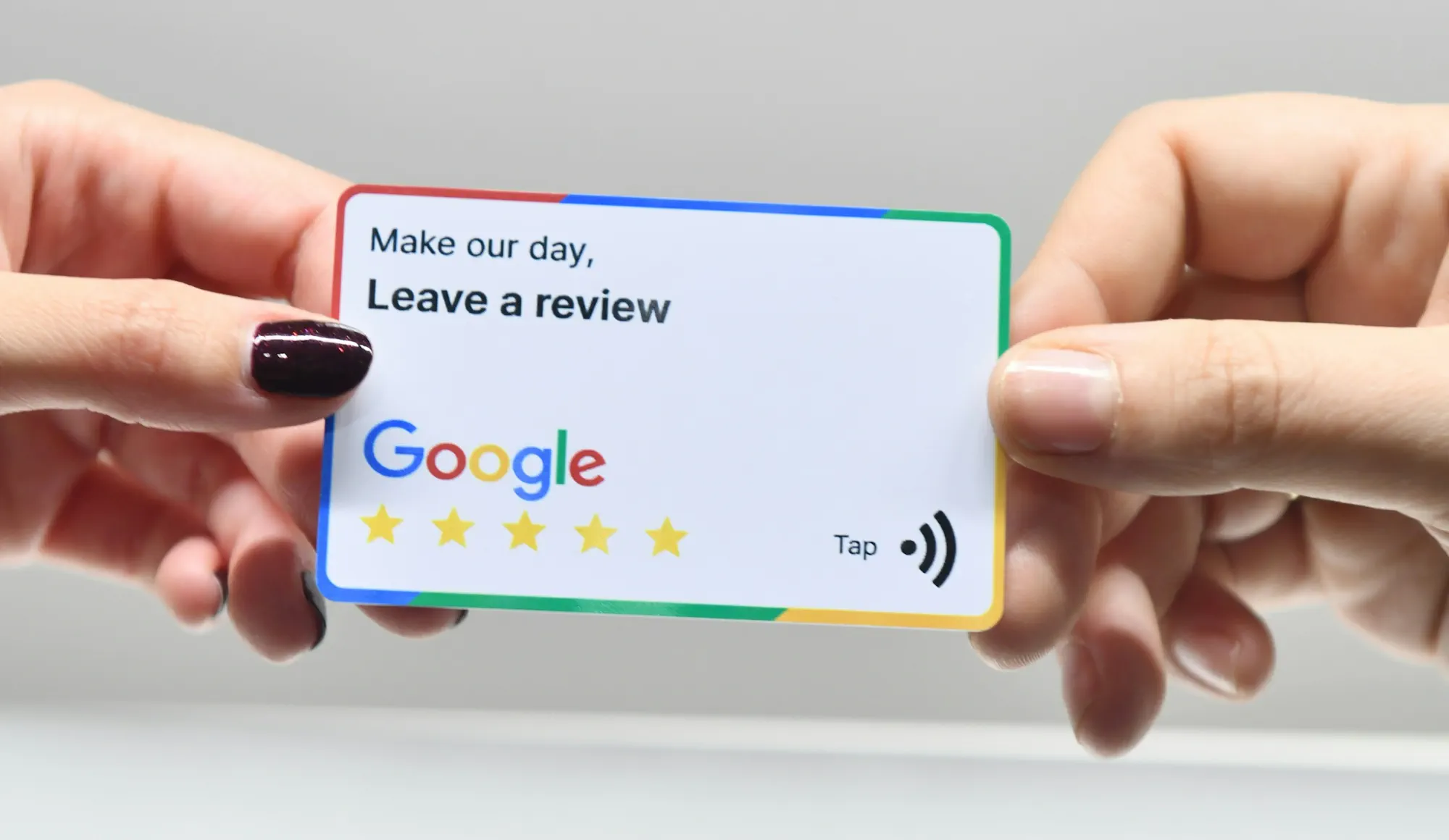
- Place review cards at checkout
- Include links in invoices
Digital Channels:
- Email signatures with review links
- Post-purchase automated emails
- Social media bio links
A McAllen boutique could place elegant review cards at checkout. Customers scan the QR code instantly. The process takes minimal effort.
Responding to Reviews: Building Trust Through Engagement
Every review deserves a thoughtful response. This practice demonstrates excellent customer service. Future customers notice your engagement level.
Responding to Positive Reviews
Thank customers specifically for their feedback. Mention details from their review. This personal touch builds stronger connections.
“Thank you, Maria! We’re thrilled you loved our breakfast tacos. Our Mission location takes pride in authentic recipes. Come back soon!”
Handling Negative Reviews Professionally
Negative reviews provide improvement opportunities. Respond quickly and professionally. Never argue or make excuses.
Address the specific concern directly. Offer to resolve the issue offline. Show other readers your commitment to satisfaction.
“We apologize for your experience, John. This doesn’t meet our Edinburg restaurant standards. Please call us at [number] so we can make this right.”
Moreover, potential customers read your responses carefully. Professional handling of criticism builds credibility. It shows accountability and care.
Legal Considerations When You Ask Customers for 5-Star Google Reviews
Federal Trade Commission guidelines govern review requests. Your business must follow these regulations. Non-compliance brings serious consequences.
FTC Compliance Requirements
Reviews must reflect genuine customer experiences. You cannot compensate people for positive reviews. All testimonials must be truthful.
Disclose any material connections appropriately. If someone receives benefits, state it clearly. Transparency protects your business legally.
Avoiding Deceptive Practices
Never gate reviews by satisfaction level. Don’t send review links only to happy customers. This practice violates Google’s policies.
Treat all customer feedback equally. Send review requests to everyone. Let customers decide what to share.
A Mission dental office shouldn’t screen patients before requesting reviews. Send requests to all patients consistently. This approach maintains integrity and compliance.
Automating Your Review Generation System
Technology streamlines the review collection process. Automation saves time while increasing volume. However, maintain personal touches throughout.
Review Management Software Options
Several platforms help businesses manage reviews. They send automated requests after transactions. Most integrate with existing business systems.
Popular options include:
- Podium for text-based review requests
- Birdeye for multi-location businesses
- GatherUp for reputation management
- ReviewTrackers for monitoring and automation
These tools schedule requests at optimal times. They follow up with non-responders automatically. Consequently, your review volume increases consistently.
Setting Up Email Automation
Email marketing platforms handle review automation effectively. Set up triggered emails based on customer actions. Purchases trigger review requests automatically.
Wait 3-5 days after transaction completion. This timing allows product use or service reflection. Customers provide more detailed, helpful feedback.
Training Your Team to Ask Customers for 5-Star Google Reviews
Staff members represent your frontline review generation. Proper training increases request success rates. Make asking for reviews part of standard procedures.
Creating Review Request Scripts
Develop natural-sounding scripts for team members. Avoid robotic or forced language. Authenticity drives better response rates.
“We love serving our Edinburg community! If you enjoyed your visit today, we’d appreciate a Google review. It really helps local businesses like ours.”
Practice these scripts during team meetings. Role-play different customer scenarios. Build confidence in making requests.
Incentivizing Staff (The Right Way)
You cannot incentivize customers for reviews. However, you can motivate staff differently. Reward employees for asking, not for positive outcomes.
Track how many requests each team member makes. Recognize top performers with internal rewards. This approach maintains legal compliance.
Measuring Your Review Strategy Success
Track metrics to understand what works. Data reveals opportunities for improvement. Adjust strategies based on concrete results.
Key Performance Indicators
Monitor these essential metrics:
- Total review count monthly
- Average star rating trends
- Review response rate
- Conversion from requests to completed reviews
A McAllen retail store should track review velocity. Are reviews increasing or plateauing? This information guides strategy adjustments.
Analyzing Review Content
Read reviews thoroughly for business insights. Customers tell you what works well. They also reveal improvement opportunities.
Common themes in positive reviews highlight strengths. Repeated complaints indicate areas needing attention. Use this feedback strategically.
Common Mistakes to Avoid
Many businesses sabotage their review efforts unknowingly. Learn from common pitfalls. Avoid these critical errors.
Over-Asking or Pestering Customers
One request is sufficient. Multiple follow-ups feel pushy. Respect customer boundaries always.
Send one email and perhaps one text message. If customers don’t respond, move on. Forcing the issue damages relationships.
Ignoring Negative Feedback
Negative reviews aren’t disasters—they’re opportunities. Ignoring them signals poor customer service. Address every review, regardless of rating.
A Mission auto repair shop that ignores complaints looks unprofessional. Responding shows you care about customer satisfaction. Future customers notice this attentiveness.
Offering Prohibited Incentives
Never offer discounts for positive reviews. This practice violates both Google and FTC guidelines. The short-term gain isn’t worth long-term consequences.
Instead, thank customers who leave reviews afterward. Send a personal thank-you note. This approach shows appreciation without crossing ethical lines.
Advanced Strategies to Ask Customers for 5-Star Google Reviews
Once basic systems work smoothly, implement advanced tactics. These strategies separate industry leaders from competitors. They require more effort but deliver exceptional results.
Creating a VIP Customer Program
Identify your most satisfied, loyal customers. Build special relationships with these advocates. They become natural brand ambassadors.
Invite them to exclusive events or early access opportunities. These customers willingly share positive experiences. Their enthusiasm generates authentic five-star reviews.
Leveraging Video Review Requests
Video messages feel more personal than text. Record short clips thanking customers by name. Include the review request naturally.
An Edinburg fitness studio owner could film quick thank-you videos. Personal connection increases response rates dramatically. Customers appreciate the individual attention.
Implementing a Review Station
Physical businesses can create review stations on-site. Set up tablets near exits or waiting areas. Make leaving reviews incredibly convenient.
Display clear instructions and your Google review link. Some customers prefer immediate action. This option serves those preferences perfectly.
FAQ: How to Ask Customers for 5-Star Google Reviews
Q: Is it legal to ask customers for 5-star reviews specifically?
A: You cannot request only 5-star ratings. Ask for honest feedback instead. Let customers decide their rating independently.
Q: How many review requests should I send?
A: Send one primary request and one follow-up. More than two messages becomes intrusive. Respect customer communication preferences.
Q: When is the best time to ask for reviews?
A: Request reviews immediately after positive experiences. Peak satisfaction produces the most enthusiastic responses. Timing significantly impacts completion rates.
Q: Can I offer discounts in exchange for reviews?
A: No, incentivizing reviews violates Google and FTC policies. Thank reviewers afterward without prior promises. Authenticity must remain paramount.
Q: How do I get more reviews than competitors?
A: Make requesting reviews a consistent business practice. Train staff thoroughly on proper techniques. Use automation to ensure no opportunities are missed.
Q: Should I respond to every single review?
A: Yes, respond to all reviews professionally. Engagement demonstrates excellent customer service. Future customers evaluate your responsiveness carefully.
Q: What if someone leaves a fake negative review?
A: Report suspicious reviews to Google immediately. Provide evidence supporting your claim. Respond publicly and professionally while the investigation proceeds.
Q: How long does building a strong review profile take?
A: Expect 3-6 months for significant results. Consistency matters more than speed. Sustainable strategies produce lasting success.
Take Action: Start Building Your Review Strategy Today
Google reviews power local business success. The strategies outlined here help you ask customers for 5-star Google reviews effectively. Implementation separates thriving businesses from struggling competitors.
Start with one simple step today. Generate your Google review link now. Share it with your next satisfied customer.
Your McAllen, Mission, or Edinburg business deserves visibility. Strong reviews on your Google Business Profile attract more customers. They build trust and credibility continuously.
Ready to dominate local search results? Professional reputation management accelerates your success. Our team helps Rio Grande Valley businesses implement proven review strategies.
Contact us today to discuss your specific needs. We’ll create a customized plan that asks customers for 5-star Google reviews legally and effectively. Visit us here to schedule your consultation. Your five-star reputation starts now.